
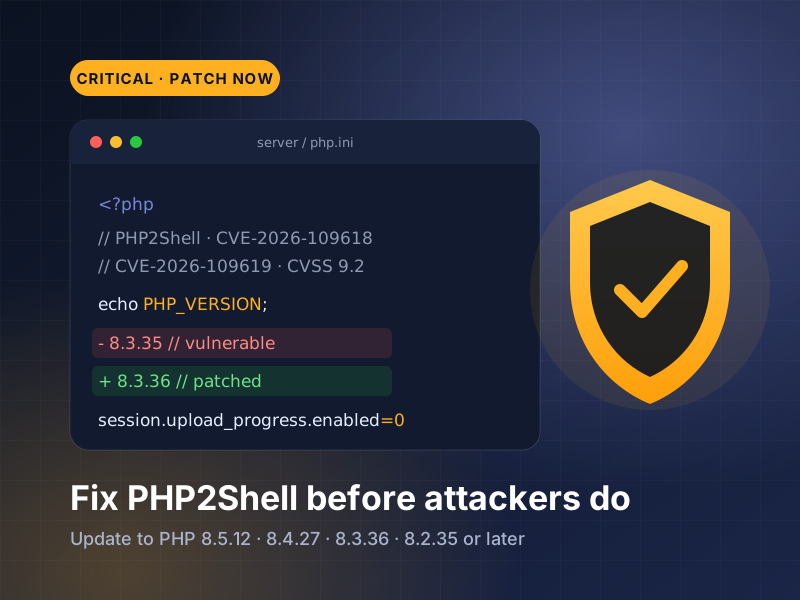
In October 2026 the PHP project shipped emergency fixes for two critical vulnerabilities, now widely known as PHP2Shell. PHP runs a large share of the web, including WordPress, WooCommerce, Laravel and most custom business websites, so this is a global issue rather than a niche one. Security researchers have reported attacks in the wild. This guide explains, in plain language, what PHP2Shell is, whether your website is affected, and the exact steps to fix it.
What is PHP2Shell and why it matters
PHP2Shell is the name researchers gave to two vulnerabilities in the PHP interpreter itself: CVE-2026-109618 and CVE-2026-109619. Both are rated 9.2 out of 10 (CVSS v4) and can allow an unauthenticated attacker to run their own code on your web server. The PHP team released fixed versions on 21 October 2026, and CERT-EU advised organisations to patch immediately.
Unlike a vulnerable plugin, this flaw sits underneath your website. According to the advisories, a single crafted request can trigger the attack before any of your application code runs. That means a fully updated WordPress site, theme and plugin set can still be exposed if the server’s PHP version has not been patched.
Sources: CERT-EU Security Advisory 2026-018 · PHP.net release announcements
Which PHP versions and servers are affected
Supported PHP versions before 8.5.12, 8.4.27, 8.3.36 and 8.2.35 are affected. If your site runs one of those branches, it needs that release or later. Every PHP installation that serves web requests is in scope, including PHP-FPM, Apache with mod_php, php-cgi, LiteSpeed and FrankenPHP. The PHP team considers Apache with mod_php the highest-risk setup.
Older versions are a bigger problem. PHP 8.1 and earlier no longer receive official releases; for this incident, the PHP project published source patches for PHP 7.4, 8.0 and 8.1 only for teams that build PHP themselves. For a typical business website, the safe answer is to move to a supported version. PHP 8.2 also reaches end of life on 31 December 2026, so this is the right moment to plan an upgrade to PHP 8.3 or newer.
Sources: PHP supported versions
How to check whether your website is exposed
Start with your hosting control panel. In cPanel, open “Select PHP Version” or “MultiPHP Manager” to see the version each domain uses. In WordPress, go to Tools → Site Health → Info → Server to see the PHP version. Note the full number, such as 8.3.36, not just 8.3.
Be aware that some hosts and Linux distributions apply security fixes to an existing version without changing the number you see. If your version looks older than the fixed releases, ask your host in writing whether the fixes for CVE-2026-109618 and CVE-2026-109619 have been applied. Keep their reply for your records.
How to fix it, step by step
First, take a full backup of your files and database. Then update PHP to the latest release in your branch: 8.5.12, 8.4.27, 8.3.36 or 8.2.35 or later. On shared hosting this is usually a menu option or a quick request to support. On a VPS or dedicated server, install your operating system vendor’s updated PHP packages and restart PHP-FPM or Apache.
On 23 October 2026, PHP also published an informational advisory recommending session.upload_progress.enabled=0 until the next regular bugfix release, to remove a separate, unlikely attack path. Ask your host or developer to apply it in php.ini. After patching, test your key pages, forms, checkout and admin area, and check your error logs for warnings.
If you can’t update right away, or you’re on old PHP
Some older websites break on newer PHP because of outdated themes, plugins or custom code. If that is your situation, do not leave the server unpatched while you wait. Put a web application firewall in front of the site, restrict access to admin areas, and plan the code fixes needed to move to a supported PHP version as soon as possible.
Also check for signs of compromise, especially if your server was unpatched after 21 October: unfamiliar admin users, recently modified PHP files, unexpected scheduled tasks, new files in upload folders, or unusual outgoing traffic. If you find anything suspicious, change all passwords, restore from a known-good backup and ask a specialist to investigate.
Frequently asked questions
What is PHP2Shell?
PHP2Shell is the name for two critical PHP vulnerabilities, CVE-2026-109618 and CVE-2026-109619, fixed on 21 October 2026. They can allow an attacker to run code on a web server running an unpatched PHP version, without logging in.
Which PHP versions fix PHP2Shell?
PHP 8.5.12, 8.4.27, 8.3.36 and 8.2.35, or any later release in those branches. Some hosts backport the fixes without changing the version number, so confirm with your host if your version looks older.
Does updating WordPress fix this vulnerability?
No. PHP2Shell is in PHP itself, not in WordPress, themes or plugins. You or your host must update the server’s PHP version, although keeping WordPress and plugins updated is still important.
My site breaks on newer PHP. What should I do?
Back up the site, patch PHP within your current supported branch if possible, and fix the incompatible theme, plugin or custom code so you can move to PHP 8.3 or newer. Wavekart Digital can audit and fix PHP compatibility issues for you.
Get your website checked and fixed
Not sure which PHP version your site runs, or worried an update will break it? Send us your website and we will check your PHP version, apply or arrange the PHP2Shell patch, and fix any compatibility issues.
- PHP version check & patch
- Upgrade to PHP 8.3 or newer
- Fix errors after a PHP update
- Security & malware check
Your next three steps
- Check the exact PHP version for every website you own, today.
- Update to PHP 8.5.12, 8.4.27, 8.3.36 or 8.2.35 or later, or get written confirmation from your host that the fixes are applied.
- Back up, test key pages and forms, and plan your move off PHP 8.2 before 31 December 2026.
Further reading
Need help putting your plan into action?
Tell Wavekart Digital about your business, audience and goals. We can review your next steps and prepare a tailored proposal.
Get My Free Quote